

AI‑Powered Automatic Detection & Blur Faces
- •Multi‑Face Detection: Instantly identifies all faces in the image, regardless of count.
- •Choice of Blur Type: Select between a smooth Gaussian Blur or a block‑based Pixelate Blur for each face.
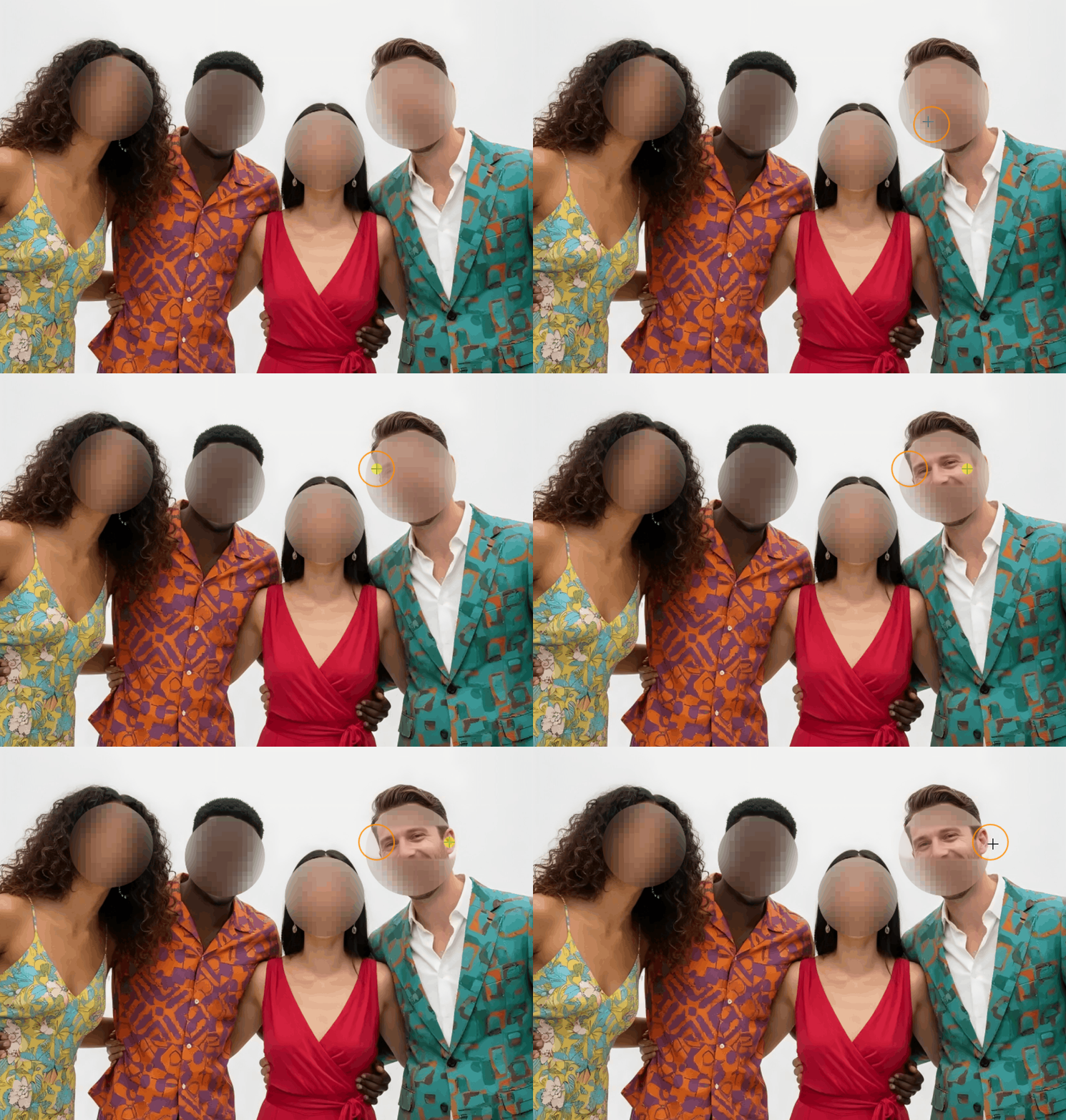
Manual Drawing Mode for Refinement
- •Blur Mode: Paint additional blur onto any area—ideal for covering missed spots or adding stronger effects.
- •Eraser Mode: Precisely remove blur from selected regions to restore facial details.
- •Adjustable Brush Size: Control the size of your brush for both blurring and erasing with a dedicated slider.
What's the recommended blur face workflow for complex group photos?
For best results with large group images:
Let the AI automatically detect and blur all faces
Review the results and use the Eraser Tool to correct any over-detection (like non-facial elements accidentally blurred)
Use the Blur Brush to cover any missed facial areas
Adjust pixel size or blur strength as needed before final export
Why It's Different
Smart & Complete AI Detection
Accurately finds every face, even in group photos.
Dual Blur Styles
Choose the right look: natural softness or pixelated anonymity.
Hybrid AI + Manual Workflow
Combine automatic results with hands‑on fine‑tuning for total control.
100% Browser‑Based & Private
No data is uploaded—face detection and blurring happen securely on your device.
Perfect For
•Protecting identities in group photos, event shots, or public content
•Preparing images for anonymity in articles, case studies, or reports
•Artistic portrait editing that blends automation with manual touches
•Quickly blur faces in batches of screenshots or social media content
Blur Faces Tool: FAQ
How to blur out a face on photo with the blur face tool?
What makes your Blur Face tool different from manual face blurring?
Can the AI detect faces at different angles or partially obscured faces?
What blur styles are available for face anonymization?
How do I handle faces the AI might have missed?
Is there a limit to how many faces can be detected and blurred?
How does the Blur Faces tool protect my privacy compared to other online tools?
Can I adjust the blur intensity for different faces in the same image?
Can I combine face blurring with other privacy protection tools?
Is the face detection data stored or used for training?
JFIF files? → Convert JFIF to JPG/PNG/WebP online