
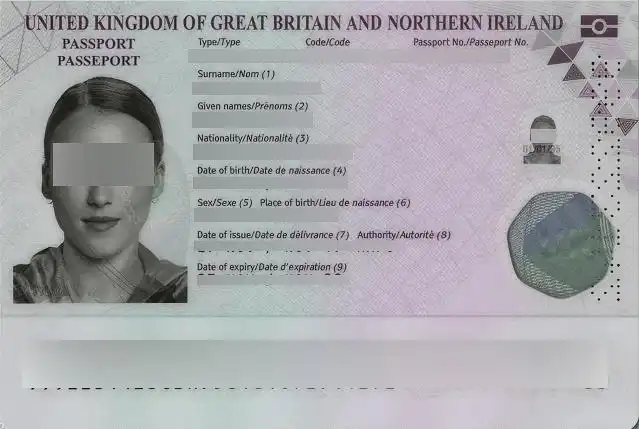
AI‑Driven Detection & Auto Blur Sensitive Information
- •Smart Content Recognition: Accurately identifies sensitive personal, financial, and identifying information in images.
- •Dual Blur Styles: Select Gaussian Blur for natural softening or Pixelate for complete, retro‑style redaction.
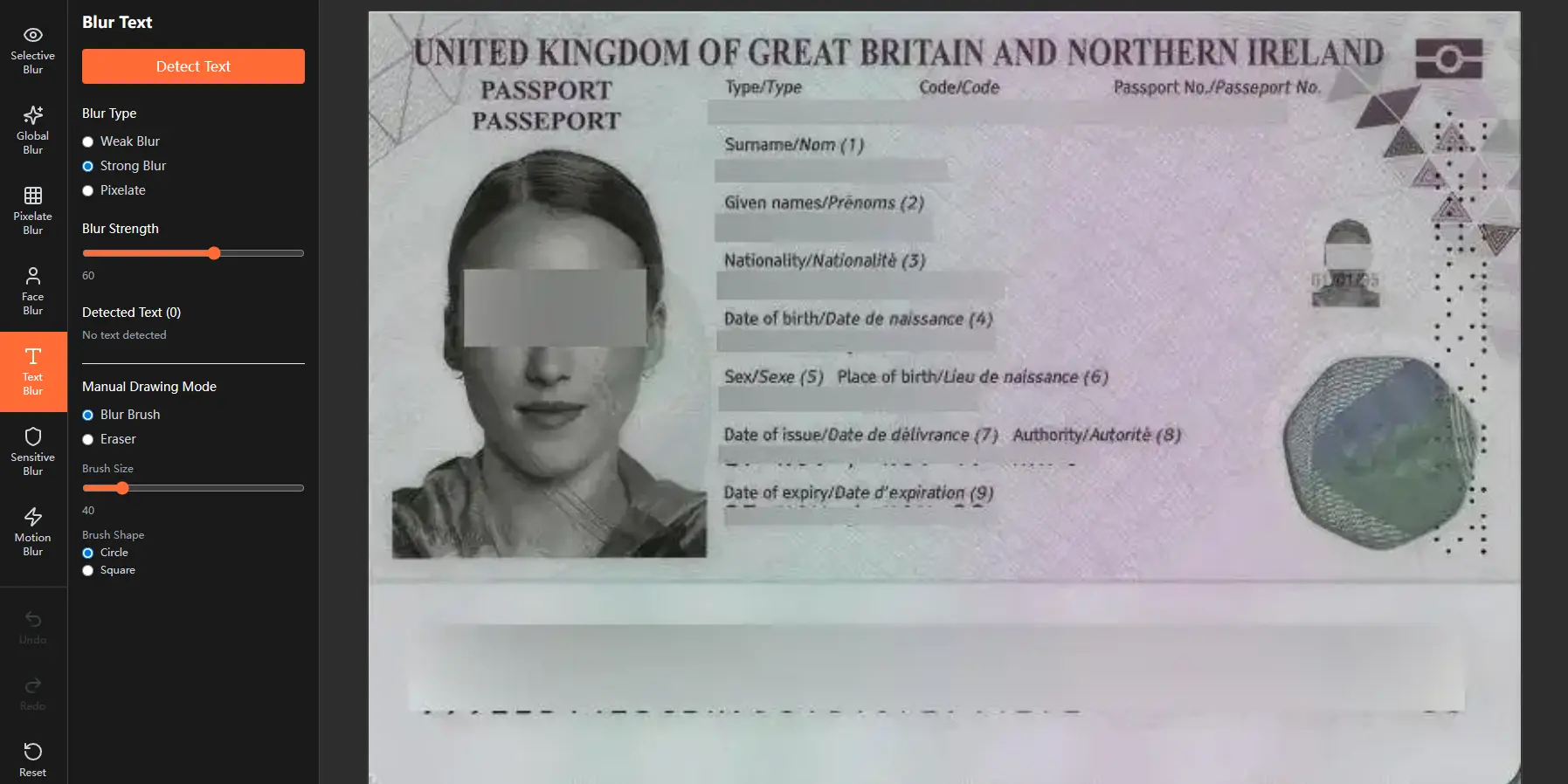
Manual Precision Editing
- •Blur Brush: Apply additional blur to any area—perfect for covering AI‑missed spots or customizing intensity.
- •Eraser Tool: Precisely restore original details by removing blur from specific regions.
- •Full Parameter Control: Adjust Blur Strength, Brush/Eraser Size, and Brush Hardness for fine‑tuned, professional‑grade results.
The key feature of our blur sensitive info tool
Targeted AI for Privacy
Focuses specifically on sensitive identifiers, financial data, and personal documents across multiple countries.
Multi‑Region & Multi‑Format Ready
Recognizes national ID formats, tax numbers, banking details, and international identifiers.
Style‑Based Redaction
Match the blur type to the context—subtle for photos, strong for documents.
Seamless AI + Manual Workflow
Start with automatic detection, then perfect every pixel by hand.
The Blur Sensitive Info Tool is Perfect For
•Redacting personal information from IDs, bills, official documents, and forms
•Preparing screenshots or photos for public sharing, publishing, or compliance submissions
•Ensuring adherence to GDPR, CCPA, PIPL, and other global privacy regulations
•Anonymizing sensitive visuals in case studies, reports, research materials, and legal exhibits
Blur Sensitive Info Tool: FAQ
What is Blur Sensitive Info Tool?
Blur Sensitive Info Tool is an AI‑powered browser tool that automatically detects and obscures sensitive information—such as ID numbers, credit cards, emails, phone numbers, and country‑specific identifiers—in images and screenshots. It supports dual blur styles (Gaussian and Pixelate) and allows manual refinement for complete privacy protection.
What types of sensitive information can the Blur Sensitive Info Tool detect?
Our AI recognizes a wide range of personal and financial data across multiple regions, including:
• Global patterns: Email, credit card numbers, IP addresses
• United States: SSN, passport, driver's license
• European Union: VAT, IBAN, national identification numbers
• China: ID card numbers, mobile numbers, passport
• India: Aadhaar, PAN, passport
We continuously update detection patterns to cover more identifiers and regional formats.
How do I use Blur Sensitive Info Tool?
Simply upload or paste your image into the tool in your browser. The AI will automatically highlight sensitive areas. Choose your preferred blur style—Gaussian Blur for a smooth look or Pixelate for strong redaction—then apply. Use the manual brush and eraser to fine‑tune the results.
Is this Blur Sensitive Info Tool secure? Where is my data processed?
Yes. Our Blur Sensitive Info Tool runs entirely locally in your browser. No images or personal data are ever uploaded to external servers. Your privacy is maintained throughout the entire editing process.
Can I adjust the blur strength or style after auto‑detection?
Absolutely. After the AI applies the initial blur, you can manually adjust:
• Blur strength (intensity of the blur effect)
• Brush size and hardness for precise manual blurring or erasing
• Switch between Gaussian and Pixelate styles at any time
What makes the Blur Sensitive Info Tool different from other blur tools?
Unlike generic blur tools, our Blur Sensitive Info Tool combines:
• AI trained specifically for sensitive data detection (not just faces or text)
• Support for country‑specific ID formats and financial identifiers
• Dual blur styles + full manual editing controls
• 100% local processing for maximum security
Is Blur Sensitive Info Tool Tool free to use?
Yes, the core detection and blur features are completely free. You can blur sensitive info directly in your browser with no login or subscription required.
What image formats does the Blur Sensitive Info Tool support?
The tool supports to upload or exportcommon image formats including JPG, PNG, WebP.
Can the Blur Sensitive Info Tool help with GDPR, CCPA, or other privacy regulations?
Yes. By automatically detecting and redacting personal identifiers, financial details, and sensitive documents, Blur Sensitive Info tool helps you anonymize visual content for compliance with GDPR, CCPA, PIPL, and other data‑protection laws.
Do I need to install software to use Blur Sensitive Info?
No installation required. Blur Sensitive Info is a web‑based tool that works directly in your browser (Chrome, Edge, Safari, Firefox, etc.). Just visit the page and start protecting your images.
JFIF files? → Convert JFIF to JPG/PNG/WebP online