
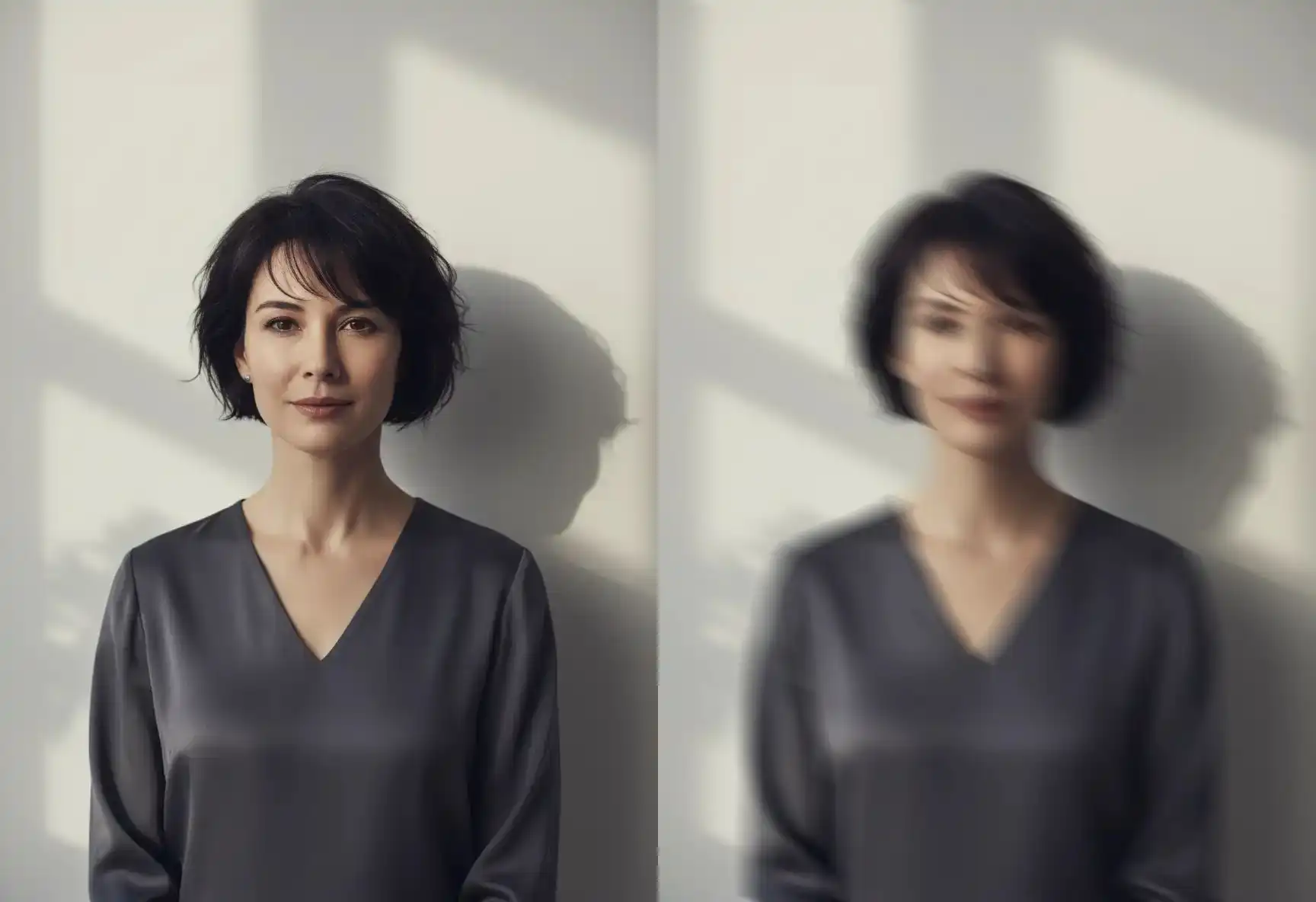
Motion Blur Tool

Blur Image Tool | Create Dynamic Movement & Directional Blur Effects with Precise Control

Drag & drop image here

or click to upload

(Ctrl+V to paste screenshot)

Explore More Blur Tools

Direction‑Based Blur Controls

Direction‑Based Blur Controls

  • Angle (0‑360°): Set the exact direction of the motion effect. *Tip: 0° = right, 90° = down, 180° = left, 270° = up.*
  • Distance (1‑100px): Control the length and intensity of the blur trail.

Real‑Time Visual Feedback

Real‑Time Visual Feedback

  • Interactive Slider Previews: See changes live as you adjust settings—no guessing, no waiting.
  • Direction Guide: Clear on‑screen references help you visualize the blur angle before applying.

Why the Motion Blur Tool is Different

True Directional Motion Blur Control

Precisely orient your motion blur along any angle for realistic motion simulation.

Live Preview Workflow

Adjust motion blur tool sliders and see the effect update instantly, enabling fast creative iteration.

Artistic & Practical Flexibility

Use the motion blur tool to create everything from subtle background movement to bold, stylized streaks.

100% Browser‑Based

Apply high‑quality motion blur effects without uploading or leaving your tab.

The Motion Blur Tool is Perfect For

Simulating motion blur in product shots, car photos, or sports imagery

Adding energy and flow with the motion blur tool to illustrations, banners, or social media graphics

Creating dynamic motion blur backgrounds or overlays for text and UI elements

Enhancing action scenes or emphasizing direction in visual storytelling using the motion blur tool

Motion Blur Tool: FAQ

The Motion Blur Tool is a creative editing feature that lets you apply directional blur effects to simulate movement in static images. By adjusting angle and distance parameters, you can create everything from subtle motion trails to dramatic speed effects—perfect for adding energy and dynamism to product shots, sports photography, or artistic compositions.
Unlike standard blur tools that create uniform softening, Motion Blur applies directional streaks following a specific path you define. This allows you to simulate realistic movement in any direction, making it ideal for creating action effects, emphasizing motion, or adding artistic flair to otherwise static scenes.
The tool provides two key adjustable parameters: • Angle (0-360°): Sets the direction of motion (0°=right, 90°=down, 180°=left, 270°=up) • Distance (1-100px): Controls the length and intensity of the blur trail These sliders offer real-time previews so you can see exactly how your adjustments affect the image.
For convincing motion simulation: 1. Identify the natural direction of movement in your scene 2. Set the Angle slider to match this direction (e.g., 15° for a car moving slightly upward) 3. Adjust the Distance slider based on desired speed (higher values = faster apparent motion) 4. Use the live preview to fine-tune until the effect looks natural
This Motion Blur Tool is perfect for: • Enhancing product photography to suggest speed or action • Adding dynamic energy to sports and action shots • Creating artistic visual effects for social media content • Simulating movement in architectural or landscape photography • Developing eye-catching graphics and banner designs
Yes! While the Motion Blur Tool operates independently, you can use it as part of a complete editing workflow. Process your image with Motion Blur first, export the result, then re-upload it to apply additional effects using our other tools like Selective Blur or Pixelate Blur for comprehensive image enhancement.
The Motion Blur Tool works seamlessly with all supported formats (JPG, PNG, WebP) and maintains image quality throughout the editing process. All processing occurs locally in your browser for maximum privacy and speed.
Not at all. The intuitive slider controls with real-time preview make it easy to experiment and achieve professional results quickly. Tooltips and visual guides help you understand how each parameter affects your image, eliminating guesswork.
Like all our editing features, the Motion Blur Tool processes images 100% in your browser—no data is uploaded to external servers. You maintain complete control over your images throughout the editing process, with optional EXIF metadata removal available during export.
Yes, the Motion Blur Tool is completely free with no usage limits, watermarks, or hidden fees. You can create unlimited motion blur effects without any subscription requirements.

Turn stillness into motion with a slide of a slider

Our Motion Blur Tool will give you intuitive, directional control—all running live and locally in your browser.