
Why Choose Our Pixelate Blur Tool?
True Irreversible Privacy Protection
- •Structurally Alters Image Data: Unlike Gaussian blur which merely diffuses pixels, our pixelation replaces original details with uniform blocks, making AI reconstruction virtually impossible.
- •No Recovery Possible: Once pixelated, sensitive information—IDs, license plates, financial data—is permanently and irretrievably obscured.
Defense Against Modern AI Threats
- •AI-Resistant by Design: Built specifically to counter today's advanced image restoration algorithms.
- •Future-Proof Security: As AI improves, traditional blur becomes less secure—pixelation's structural approach remains fundamentally sound.

Flexible Application Modes of Pixelate Blur

- •Entire Image: Instantly pixelate the whole photo in one click.
- •Brush: Free‑hand paint pixelation onto specific areas with adjustable brush size for organic masking.
- •Rectangle/Circle Select: Define and select specific rectangular or circular areas to apply pixelation.
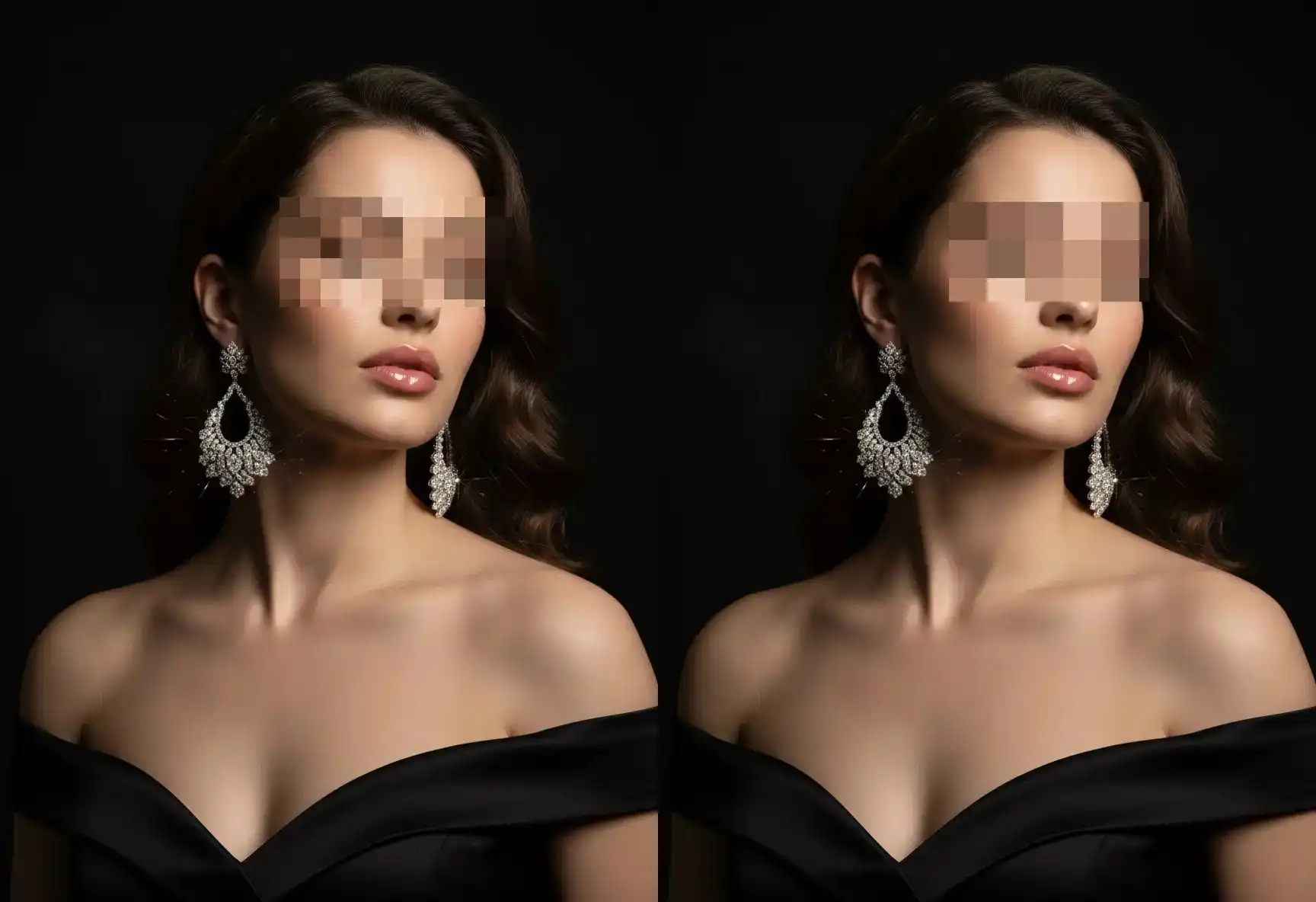
Non‑Destructive Restoration
- •Eraser: Precisely erase pixelation from any area with brush‑based control, restoring original details.
- •Rectangle/Circle Restore: Quickly define and clear pixelation from entire rectangular or circular selections for efficient corrections.
Pixelate Granular Effect Controls
- •Pixel Size Slider: Set the size of the pixel squares—from fine‑grain subtlety to bold, blocky visual effects.
The Pixelate Blur Image Tool Advantage
Multiple Masking Methods
Choose between free‑form brushwork and clean geometric selections.
Built‑In Restoration Workflow
Effortlessly undo pixelation with dedicated erase and shape‑based restore tools.
Complete Pixel‑Level Control
Fine‑tune the block size and placement to balance privacy and visual style.
100% Browser‑Based & Private
All processing happens locally—your images are never uploaded or stored.
Use Cases of the Pixelate Blur Image Tool
•Obscuring sensitive information (license plates, documents, personal details) Whether it's blurring license plates in street photos, anonymizing personal details in documents, or hiding faces in crowd shots, our tool ensures that what you conceal stays completely private.It's the go‑to solution for visual content that needs to stay secure.
•Ensuring permanent privacy redaction through irreversible pixelation Our pixelate blur algorithm applies a non-reversible transformation that destroys recoverable detail, preventing AI‑based reconstruction and guaranteeing that sensitive content stays permanently obscured.
•Quickly redacting portions of screenshots or photos Effortlessly select and blur any area of an image with just a few clicks. Ideal for sharing screenshots while removing confidential data, or preparing images for public use without compromising privacy.
Pixelate Blur Image: FAQ
What is Pixelate Blur Image Tool and how is it different from regular blur?
Is the Pixelation Blur Image Tool truly irreversible and AI-proof?
What application modes does the Pixelate Blur Image Tool offer?
Can I combine pixelation with other effects in one workflow?
Why choose pixelation over other blur methods for privacy protection?
JFIF files? → Convert JFIF to JPG/PNG/WebP online